My Blog

Author name: Asghar

How to Add a Link on Instagram Story
instagram

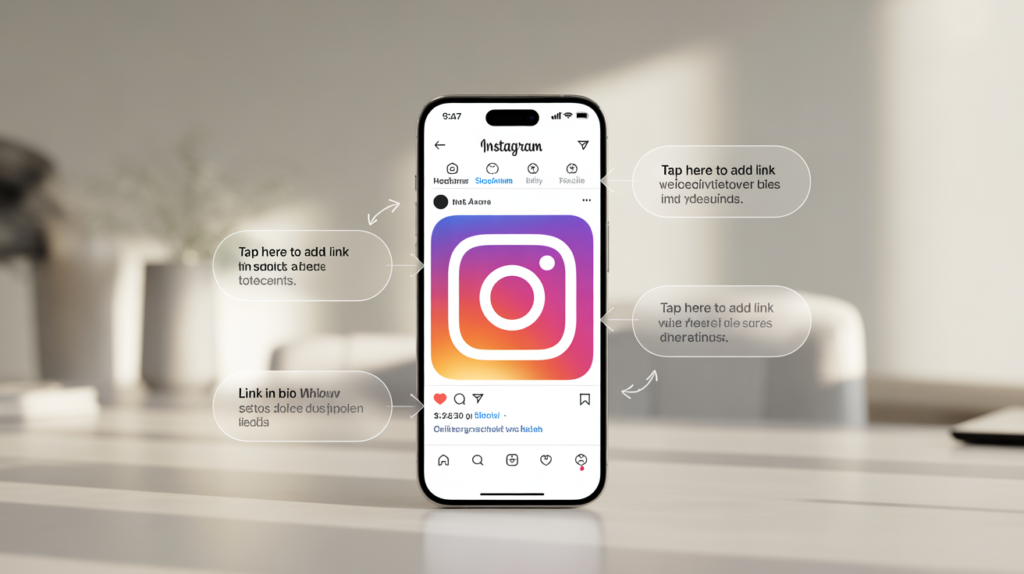
How to Add a Link on Instagram Story & Reel

If you are running an online business and you want to get traffic from Instagram,  Instagram is not only about posting photos and videos—many people use it to drive traffic to their website, online store, , landing page, or product page. If you also want to get more Instagram followers, BoostigStore is a trusted site for you. also want to send your followers to your website, product page, or any other link, the best way is to use Instagram Stories. Story link stickers help you get more traffic, promote your services, and increase engagement. What Is a Link Sticker on Instagram? A Link Sticker on Instagram is a tool that allows users to add clickable links to their Stories. Instead of writing a URL in captions, followers can tap the sticker to visit a website, product page, blog, or video instantly. It is available for all accounts and is a simple way for creators and businesses to drive traffic, promote products, and increase engagement. How to Add a Link to an Instagram Story (Step-by-Step) Instagram Stories used to have the “Swipe Up” feature, but it was only for verified accounts or people with 10,000+ followers. Now, you can use the Link Sticker and the Link in Bio to send people from Instagram to your website, products, or other pages. Adding a link to your Instagram Story is very simple. Follow these easy steps: Open Instagram and Create a Story Swipe right from your home screen or tap your profile photo in the top-left corner.Choose to take a photo, record a video, or upload something from your gallery. Tap the Sticker Icon Tap the Sticker Icon to see many fun stickers on your screen. You can choose any sticker you like and add it to your message. Stickers help you show your feelings in a simple way. They make your chats more colorful, happy, and easy to understand. Select the “Link” Sticker Scroll down until you find the sticker named “Link.” This is where you will add your website or page link. Enter Your URL Type or paste the link you want to share, such as: Double-check the link to make sure it’s correct. Make Your Link Sticker Look Better Changing your link sticker can help your Story stand out and get more clicks. Change the text:  Instead of showing a long website link, use short action words like Shop Now, Read More, or Get Details so people know what to do. Pick clear colors:  Tap the sticker to switch colors or press and hold to choose a color that matches your Story. Use colors that are easy to see and match your brand. Place the Sticker on Your Story Tap Done and position the sticker where it is easy to see.Avoid placing it near the bottom where viewers might skip your Story. Share Your Story Tap “Your Story” to publish it.Your followers can now tap the sticker and visit your link instantly. How to Add a Link on Instagram Reel Instagram Reels reach more people than regular posts. This makes them a great place to add a link, especially if you want to promote a website, product, or service. Create a Reel Tap the + button and choose Reel. Create a fresh video or import existing clips from your gallery. Add music, text, filters, or effects to make your Reel more engaging. Tap Next After finishing your video editing, tap Next to move to the final screen. This is where you can add captions, tags, and the link to your Reel for viewers to click. Tap Add Link On the final screen, you will see the option “Add Link.” Tap it, and a small box will appear where you can paste the URL of the page you want your followers to visit. Enter Your URL Paste your link into the box. Remember, Instagram only allows one clickable link per Reel, so choose the most important one, such as your website, product page, or blog post. Post Your Reel Tap Share to publish your Reel. A link button will appear under your username, and viewers can click it to visit your page, helping you get traffic and engagement. How to share a link on an Instagram story Open the video whose link you want to share, click on the share button, and then click on the option for the platform on which you want to share it. You can copy the link or post it as a WhatsApp status to quickly reach friends, groups, and social media audiences for easier viewing and engagement. Link Sticker Ideas to Help Your Business Grow Introducing a New Product Show off your latest item with a Story photo or Reel. Add a link sticker so viewers can easily open the product page and make a purchase. Promoting a Blog Post or Content Share a quick teaser or eye-catching graphic of your newest article. Include a link sticker so followers can read the full post. Highlighting a Special Deal or Offer Use strong calls to action like “Shop Now” or “Claim the Deal” to build urgency and boost sales. Sharing Event Tickets or RSVP Info Upload an event poster or teaser clip. Add a link sticker that sends viewers straight to the registration page for simple sign-ups. Posting Hiring Updates or Job Opportunities Show behind-the-scenes moments of your team or workplace. Add a link sticker that directs people to your job listings so they can apply right away. Conclusion Knowing how to add a link on Instagram Story and Reel is a simple but powerful way to grow your online presence. Whether you want to promote your website, sell products, or share helpful content, Story Link Stickers and Reel Links make it easy for followers to visit your page. Start using links today, experiment with creative CTAs, and watch your traffic and engagement grow. Instagram gives you the tools—now it’s time to use them to reach your audience and achieve your goals.
How to Start a YouTube Automation
YouTube

How to Start a YouTube Automation Channel Without a Face & Monetize It Fast

Starting a YouTube automation channel without revealing your face is a powerful and beginner-friendly method to earn passive income online. Through YouTube Automation, many creators are already generating consistent revenue using automated tools, professional voiceovers, and faceless video content. This approach allows anyone to grow a successful YouTube channel without worrying about being on camera. If you’ve always dreamed of building a YouTube presence but prefer to stay behind the scenes, this strategy offers the perfect path to freedom, creativity, and financial success. What is YouTube Automation? What is it YouTube automation is the process of managing and growing a YouTube channel by automating or outsourcing most of the major tasks—such as scripting, voiceovers, video editing, thumbnail design, and publishing. Instead of manually doing everything yourself, automation allows you to use AI-powered tools and skilled freelancers to streamline your entire content creation process. With modern AI video generator tools, creators can save time, improve productivity, and scale their channels more efficiently. Think of YouTube automation as building a smart content system that works even when you’re not actively involved. You don’t need to show your face or spend hours editing videos; automation handles it all. With YouTube automation, you can: In short, the benefits of YouTube automation are immense—it saves time, enhances efficiency, and helps turn your YouTube channel into a steady, revenue-generating asset. What is YouTube automation legit? Yes, YouTube automation is completely legit—provided you’re creating original, high-quality content and following YouTube’s official community guidelines. Automating tasks like editing, scripting, or voiceovers using AI tools is perfectly acceptable as long as your videos are not copied, spammy, or misleading. YouTube supports automation that enhances creativity and productivity, not shortcuts that violate copyright or spam policies. Let’s clarify what’s allowed and what isn’t: ✅ Allowed:  Using AI tools to create original scripts, visuals, or voiceovers that add real value.✅ Allowed:  Outsourcing editing or narration to freelancers and tools—just like running a professional content team.❌ Not Allowed:  Re-uploading existing videos from other creators, even with edits or AI voiceovers.❌ Not Allowed:  Posting repetitive, low-quality, or spam-like content that offers no viewer benefit. In short, YouTube automation is a powerful and legitimate strategy when used responsibly—it helps creators scale faster while staying within YouTube’s rules. Revenue Streams in a YouTube Automation Business If you want your YouTube automation channel to become highly profitable, it’s essential to diversify income through multiple revenue streams. Below are the top ways to monetize effectively and build long-term income. 1. AdSense YouTube’s built-in monetization system pays creators for ads shown on videos. You become eligible once your channel reaches 500 subscribers and 3,000 watch hours (as of 2024). 2. Affiliate Marketing Promote tools, software, or online services in your video descriptions. Every time someone buys through your affiliate link, you earn a commission—perfect for review or tutorial-style channels. 3. Sponsorships Brands can also request paid promotions when your channel reaches a larger size. This is especially valuable for niche-focused channels like tech, pets, or education. 4. Digital Products Sell digital goods such as templates, eBooks, or design packs. These products complement your content and provide ongoing income. 5. Merch & Print-on-Demand Create and sell branded merchandise—t-shirts, mugs, or hoodies—through platforms like Teespring or Printful. 6. Channel Flipping Grow faceless channels and sell them as complete, monetized assets for profit. 7. Offer Services Promote your freelancing or agency services via YouTube videos related to your niche. 8. Advertise Products If you sell on Etsy, Shopify, or Amazon, feature and promote your products directly in your videos to boost both views and sales. YouTube Automation Channel: How to start in 2025? Starting a YouTube automation channel in 2025 requires understanding the process and integrating automation tools into your workflow for maximum efficiency. Here’s a step-by-step guide to help you launch a successful faceless channel. 1. Researching and Generating Video Ideas Use tools like Tubebuddy and VidIQ to find trending topics and understand what your audience is searching for. Keyword research helps you target high-potential niches and improve search visibility. This data-driven approach saves hours compared to traditional manual research. 2. Creating Video Scripts AI tools like ChatGPT and Rytr make scriptwriting faster and more efficient. You can outline content, refine messaging, and ensure smooth storytelling without spending hours on manual writing. 3. Creating and Editing Videos AI video tools like Fliki enable automated video creation, voiceovers, and editing. With over 2,500 realistic AI voices, video production becomes faster, scalable, and consistent in quality. 4. Creating Thumbnails AI-powered tools such as Fliki AI Thumbnail Maker, Adobe Firefly, and PlaygroundAI create visually compelling thumbnails that increase click-through rates effortlessly. 5. Uploading and Scheduling Videos Leverage YouTube’s scheduling features or automation tools like Zapier to plan video uploads in advance, saving time and maintaining consistency. 6. Promoting Videos Tools like Buffer and Feedhive allow cross-platform video promotion, boosting reach and engagement without manual effort. 7. A Unified Approach Balance automation with personal engagement to maintain authenticity. Track results, adapt strategies, and refine your process for long-term success. Faceless YouTube channels, powered by automation, can save time, optimize quality, and scale efficiently. For example, Natural Lens, a faceless channel focusing on animal videos, gained nearly 1 million subscribers in a year, earning $428–$6.9K monthly—showing the real potential of YouTube automation. By leveraging What is YouTube Automation strategies, anyone can create a profitable channel, combining AI tools, smart workflow, and high-quality content for massive growth in 2025. The Power of AI Video Creation in YouTube Automation AI tools have revolutionized content creation, enabling YouTube creators to produce engaging videos faster and more efficiently than ever. One standout tool, Fliki, offers an impressive “Idea to Video” feature that turns your concepts into high-quality videos with realistic AI voiceovers. Creating Your AI-Generated Video Initiate a Project:  Start by creating a new file and selecting the “Video” format.Language and Dialect:  Choose the language and dialect that best suits your target audience.File Naming:  Give your project a clear name, select “Start with Idea,” and click “Submit” to

How to appear offline on Instagram
informesion, instagram

How to Make Yourself Appear Offline on Instagram

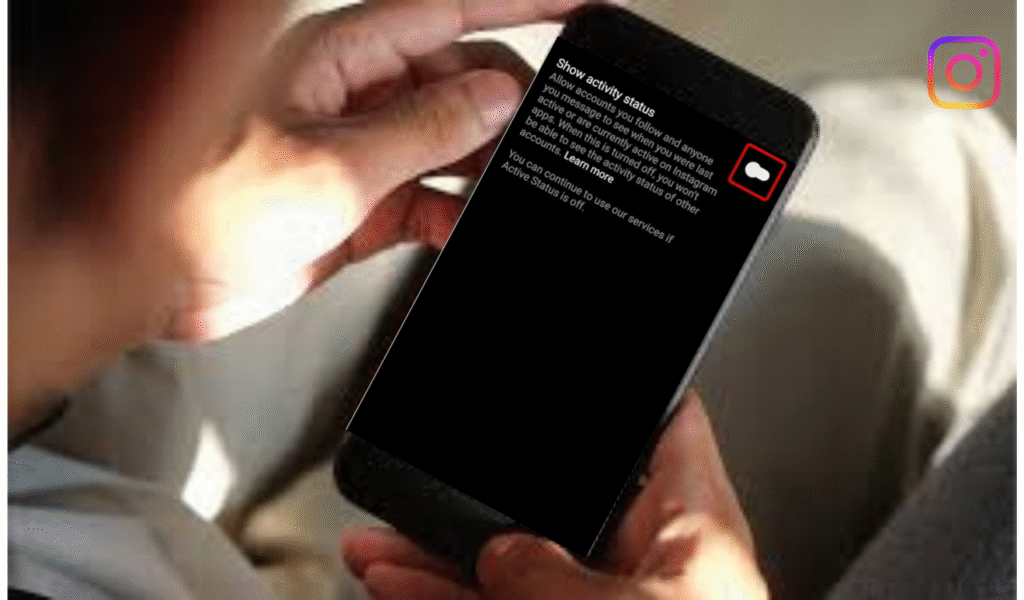
Instagram is one of the most widely used social media platforms for communication, sharing posts, and connecting with friends. By default, Instagram shows your activity status, such as whether you are Active Now, Active Today, or Last Active, along with a small green dot beside your username when you’re online. While these features help others know when you’re available for chatting, they’re not ideal for everyone. Many users value privacy and prefer to browse content quietly. BoostigStore understands this need and provides helpful guides for managing your Instagram settings. This complete. Step-by-Step  How to Appear Offline on Instagram Want to appear offline on Instagram but still scroll in peace? Here’s a simple step-by-step guide to help you hide your activity status easily. Open the Instagram app and go to your profile. Tap the three lines in the top-right corner and select Settings and Privacy. Next, go to Messages and Story Replies, then tap Show Activity Status. Turn the toggle off to appear offline. This means no one will see when you were last active or currently online. You can still message and browse freely without alerting anyone. Whether you want privacy or just quiet time, this quick setting keeps your Instagram use completely private and under your control. Appear Offline on Instagram (iPhone & Android ) Appear Offline on Instagram (Android) Open Instagram on your Android phone and tap your profile icon at the bottom right. Go to Settings and Privacy → Messages and Story Replies → Show Activity Status. Toggle it off to appear offline instantly. Appear Offline on Instagram (iPhone) To appear offline on Instagram using an iPhone, open the Instagram app and go to your profile. Tap the three lines (☰) in the top-right corner, then select Settings and Privacy. Scroll down to Messages and Story Replies, and tap Show Activity Status. Turn off the toggle to hide your online status and last active time. Now, you can browse Instagram privately without others knowing when you’re online. How to Appear Offline on Instagram Using a Desktop Browser If you use Instagram on your computer, you can easily appear offline through your desktop browser. Open Instagram and log in to your account. Click on your profile picture in the top-right corner, then select Settings from the dropdown menu. Next, go to Privacy and Security. Under the Activity Status section, uncheck the box that says Show Activity Status. This simple step will hide your online presence and last active time from others. You can now browse, like, or message freely on Instagram without anyone knowing you’re currently active online. How to appear offline on Instagram chat If you want to appear offline while chatting on Instagram, it’s easy to do. Open your Instagram app, go to your profile, and tap the three lines (☰) in the top-right corner. Select Settings and Privacy → Messages and Story Replies → Show Activity Status. Turn off the toggle to hide your online and last active status. Once disabled, your friends won’t see when you’re active or typing in chat, giving you complete privacy while messaging. Can You Appear Offline to Some People Only? Instagram currently doesn’t allow users to appear offline to specific people only. When you turn off your Activity Status, it hides your online presence and last active time from everyone, not just selected followers. However, you can restrict or mute specific accounts to limit interactions without blocking them. This gives you more control over your privacy. While you can’t choose who sees you offline, using these settings helps manage who engages with you on Instagram. Does Appearing Offline Affect Your Messaging? Appearing offline on Instagram does not affect your ability to send or receive messages. You can still chat, reply, and share content as usual. The only difference is that others won’t see when you’re online or when you last used the app. Your messages will still be delivered instantly, and you’ll continue to get notifications. This feature simply hides your activity status, allowing you to stay connected privately without showing your active presence to others. Benefits of Appearing Offline on Instagram Appearing offline on Instagram gives you more privacy and peace. When you turn off your online status, people can’t see when you are active or last seen. You can check posts, send messages, and scroll freely without anyone knowing. It helps you avoid unwanted chats and focus on what you enjoy. This feature is great for those who want to use Instagram quietly and stay in control of their time and activity. Conclusion Appearing offline on Instagram is simple, effective, and accessible through your privacy settings on both mobile and desktop devices. By disabling your Activity Status, you gain control over your online visibility and browsing habits. Whether you want to reduce distractions, increase privacy, or simply navigate the platform more comfortably, turning off the activity indicator allows you to use Instagram on your own terms. Although there is no way to selectively hide your status from specific users, hiding your Activity Status entirely is the most reliable method to ensure privacy across your account. Frequently Asked Questions About Appearing Offline on Instagram Is there a way to appear offline on Instagram?  Yes, you can appear offline on Instagram by turning off your Activity Status in the Settings and Privacy section. How do I turn on ghost mode on Instagram? Turn off your Activity Status in Settings and Privacy to hide your online presence and appear in ghost mode. Can you appear offline on Instagram? Yes, by disabling the Show Activity Status option in Settings, you can appear offline and browse privately anytime you want. Does Instagram show when someone is online? Yes, Instagram shows a green dot beside a user’s name when they are online or active in direct messages. Is there a way to appear offline on Instagram? Yes, open Settings → Privacy → Activity Status, and turn it off to hide your online activity from everyone.

How do you turn off profile views on TikTok
informesion, TikTok

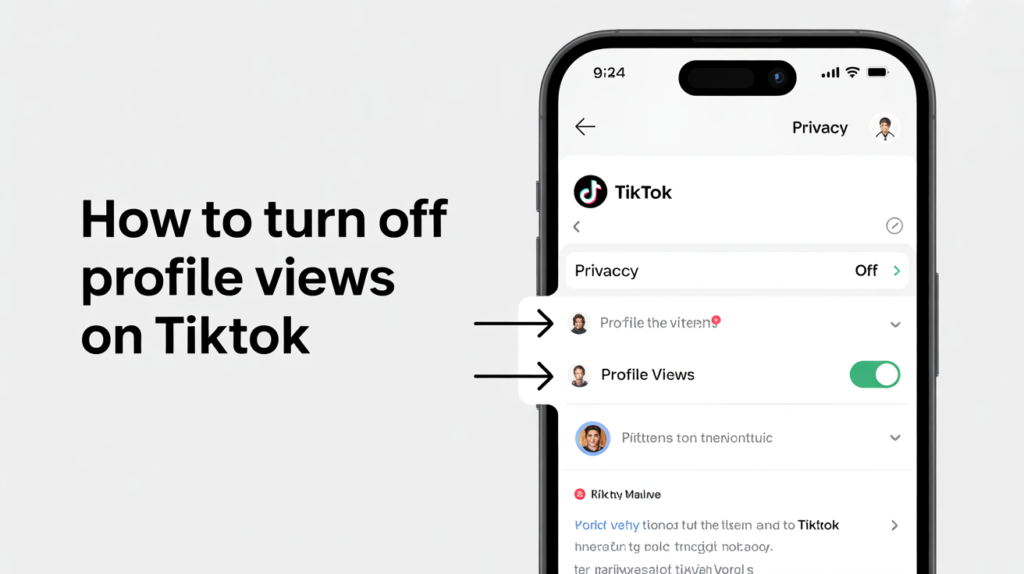
How to Turn Off Profile Views on TikTok

TikTok has quickly become one of the most popular social media platforms in the world, allowing users to share short videos, grow communities, and express their creativity. But with all that sharing comes a question many users ask: how can you control your privacy on TikTok, especially when it comes to profile views? If you’ve ever wondered who’s been checking out your TikTok profile or you’d prefer to browse others’ profiles without being seen, this guide will help you understand exactly how to turn off profile views on TikTok, what happens when you do, and how it affects engagement. We’ll also explore related topics, such as what counts as a viral video and how much TikTok actually pays per view. For creators and influencers looking to grow faster, BoostingStore offers trusted growth tools and insights to help you increase your reach safely and effectively. Managing privacy while boosting engagement is key to a strong TikTok strategy. By learning how to balance visibility, privacy, and audience interaction, you can enjoy the best of both worlds—staying secure while maximizing your TikTok potential. What Is the TikTok Profile Views Feature? TikTok’s Profile Views feature lets users see who has visited their profile within the past 30 days—and, in turn, it also allows others to know when you’ve viewed their profiles. Think of it as a two-way street: if you can see who’s visited your page, they can also see that you visited theirs. While some creators enjoy this feature because it helps them identify curious followers or potential collaborators, others prefer more privacy. If you fall into the latter group, TikTok gives you full control to switch the feature off at any time. How to Hide Your Profile Views on TikTok Easily Adjusting your TikTok settings gives you full control over who can see your profile activity. To begin, open the TikTok app and tap the Profile icon located in the bottom right corner of your screen. Next, tap the Menu icon (☰) in the top-right corner of your screen. From there, choose Settings and privacy, then select Privacy. Scroll down to find the Profile views option, shown with a footprint icon. Finally, turn off Profile view history to stop TikTok from tracking or showing who visits your profile. On the Profile Views Page Business owners who track their TikTok analytics can easily manage privacy settings through the Profile Views page. Go to your profile and tap the Profile Views button at the top of the screen. Next, tap the Settings icon to adjust your visibility preferences. This quick method fits naturally into your regular performance checks, helping you save time while keeping your professional activity private and secure. How to turn off notifications on TikTok To turn off notifications on TikTok, open the app, go to Settings and privacy, and tap Notifications. From there, toggle off the alerts you don’t want, helping you stay focused without constant pop-ups or distractions. Does Turning Off Profile Views Affect Engagement? Turning off profile views on TikTok does not affect your likes, comments, or video views**. This setting only hides who can see that you visited their profile. If you turn it off, people won’t know you looked at their page, and you also won’t see who checked yours. Sometimes, when people see that you visited them, they visit your page too, which can bring more engagement. But if you prefer privacy, turning it off is a good choice. So, don’t worry, turning off profile views won’t stop your TikTok videos from growing or reaching more people. How Many Views Are Considered Viral on TikTok? There’s no exact number that makes a TikTok video go viral, but generally, videos with 100,000 views or more are considered viral for small creators. For larger accounts, hitting 1 million views usually marks viral status. What really matters is how quickly the views grow, how much engagement you get through likes, comments, and shares, and whether your content reaches people beyond your followers. Consistent interaction and creativity increase your chances of going viral. How Much Money Is 1,000 Views on TikTok Worth? The amount of money you can earn from 1,000 views on TikTok depends on your location, engagement, and participation in TikTok’s Creator Rewards Program. On average, TikTok pays between $0.02 and $1 per 1,000 views. Under the older Creator Fund, earnings were quite low, but the newer rewards system offers better payouts for high-quality content. However, most creators make more money through brand deals, sponsorships, or affiliate marketing rather than direct TikTok payments. The more engaging and viral your videos are, the greater your overall earning potential. Can You See Who Viewed Your TikTok Videos Anonymously? Many users also ask, “Can I see who watched my TikTok videos anonymously?” Unfortunately, TikTok doesn’t let you see every individual who viewed your videos. You can see total view counts and engagement stats, but not specific usernames—unless TikTok activates certain limited “post view history” features for your account. That means if someone watches your videos without interacting, you won’t know who they are. The Profile Views feature only tracks visits to your profile, not your videos. So, even if you turn it on, you won’t see everyone who watched your videos—only those who looked at your profile page How to Reset TikTok Algorithm If your TikTok feed no longer shows content you enjoy, you can easily reset the algorithm. Start by clearing your watch and search history in the Settings and privacy section. Next, unlike videos you’re no longer interested in and tap “Not interested” on unwanted content. Finally, interact with new videos, creators, and hashtags you like. This helps TikTok relearn your preferences and refreshes your For You Page with content that matches your current interests. Is it safe to buy from tiktok shop? Buying from TikTok Shop is generally safe, as the platform verifies sellers and uses secure payment methods. However, it’s important to check seller ratings, product reviews, and return policies before purchasing. TikTok also offers buyer

Top 10 Beautiful Female TikTokers in Pakistan
informesion, TikTok

Most Beautiful TikTokers in Pakistan 2025

TikTok has changed the way people in Pakistan enjoy entertainment and connect on social media. In 2025, TikTok remains one of the most popular platforms, and Many people in Pakistan use TikTok. Some people in Pakistan are very famous. who win the hearts of millions with their hard work, talent, charm, and creativity. People love them not only for their entertaining videos, but also for their charming personalities and fashionable style. And some people dream of fame and success.  If you also dream of being famous, who dream of fame and success. If you also dream of being famous, Boostigstore can help you grow your TikTok account and reach more people. Top 10 Beautiful Female TikTokers in Pakistan Jannat Mirza  The most followed TikToker in Pakistan, known for her beauty and creative videos. Alishba Anjum  Famous for her charming personality and stylish content. Areeka Haq  A talented creator known for her makeup videos and elegant style. Sehar Hayat  Popular for her funny skits and engaging lip-sync videos. Kanwal Aftab  A beautiful influencer known for her confident attitude and entertaining content. Romaisa Khan : Loved for her natural acting and cute expressions. Minahil Malik  Famous for her glamorous looks and lifestyle content. Areej Chaudhary  A rising TikTok star admired for her elegance and charm. Nimra Ali  Known for her energetic personality and fun videos. Rabeeca Khan  A stylish and talented TikToker who continues to win fans with her amazing content. 1. Jannat Mirza Followers: 25 Million  Jannat Mirza remains Pakistan’s top TikTok queen in 2025. With millions of followers, her natural beauty, elegant fashion sense, and confident style keep her ahead of all. She represents Pakistan on international platforms and continues to inspire new creators. 2. Alishba Anjum Followers: 19.3 Million  Known for her sweet personality and flawless style, Alishba Anjum ranks second among the most beautiful TikTokers. Her beauty blends traditional and modern looks perfectly, making her one of the most followed influencers in the country. 3. Areeka Haq Followers: 12 Million  Areeka Haq has been a fashion icon for years. Her aesthetic videos, radiant smile, and charming confidence make her a true representation of elegance. She continues to collaborate with brands and create inspiring content for her fans. 4. Sehar Hayat Followers: 11 Million  Sehar Hayat’s expressive eyes and glowing beauty have made her a favorite among Pakistani audiences. Her emotional and entertaining TikToks showcase not only her looks but also her creative depth and relatable personality. 5. Kanwal Aftab Followers: 20 Million  Kanwal Aftab’s signature style, confidence, and captivating charm earn her a solid position in this ranking. She is admired for her poised appearance, graceful fashion, and happy-go-lucky attitude, making her one of TikTok’s most loved stars. 6. Romaisa Khan Followers: 8.6 Million  Romaisa Khan is not only beautiful but also one of the most talented TikTokers in Pakistan. Her radiant skin, stunning smile, and infectious personality make her truly stand out. She balances acting, modeling, and content creation perfectly. 7. Minahil Malik Followers: 9.4 Million  Minahil Malik’s elegance and sophisticated charm have made her a household name on TikTok. Her graceful dance moves, stylish outfits, and beauty make her one of the most influential content creators of 2025. 8. Rabeeca Khan Followers: 11.2 Million  Rabeeca Khan, the daughter of comedian Kashif Khan, has carved her own identity as a top TikTok influencer. Her flawless style, lovely smile, and bubbly nature make her one of the most beautiful and talented stars in Pakistan’s digital space. 9. Dolly (Dolly Fashion Icon) Followers: 15.5 Million  Dolly is known for her glamorous looks and bold fashion sense. Her makeup tutorials and trendy videos attract millions of followers. She represents the new-age Pakistani woman—confident, stylish, and fearless. 10. Aiman Zaman Followers: 7.6 Million  Aiman Zaman’s charming personality, innocent looks, and creative videos have earned her a dedicated following. She continues to grow as one of the most admired TikTok stars in Pakistan. Beauty Meets Influence: The Power of TikTok in 2025 TikTok in 2025 is more than just a social media platform—it’s a stage for creativity, confidence, and expression. These beautiful TikTokers are not only admired for their looks but also for how they inspire others through fashion, positivity, and entertainment. Their influence reaches millions, shaping trends and representing Pakistan’s vibrant youth culture on a global scale. With their rising fame, many of these creators are collaborating with major fashion brands, cosmetic companies, and digital marketing agencies. Some have even transitioned into acting, modeling, and entrepreneurship, proving that TikTok can open doors to endless opportunities. Why These TikTokers Stand Out Each TikToker on this list brings something unique to the table. Whether it’s Jannat Mirza’s elegance, Areeka Haq’s creativity, or Kanwal Aftab’s confidence, their individuality sets them apart. What makes them truly special is their authenticity—they connect with fans through genuine content that reflects real emotions and lifestyles. Moreover, their dedication to maintaining their beauty and style inspires countless followers. From skincare routines to fashion tips, they influence how millions of people present themselves online. The Role of Social Media Growth Platforms In 2025, growing on TikTok is more competitive than ever. With millions of creators joining daily, standing out requires consistent engagement, creativity, and marketing strategies. That’s where trusted platforms from Boostigstore play a key role. They provide reliable support to help influencers enhance their online presence, attract real followers, and strengthen engagement safely. With expert digital solutions from Boostigstore, numerous influencers and brands in Pakistan are experiencing faster growth and increased visibility on social media platforms. It helps creators build stronger reputations and connect with genuine audiences effectively. Conclusion The most beautiful TikTokers in Pakistan 2025 continue to redefine digital beauty and creativity. These talented women are not just faces on a screen—they are influencers, trendsetters, and cultural icons. Through their elegance, hard work, and authenticity, they have inspired millions and elevated Pakistan’s image in the global digital community. Their journey shows that beauty with purpose and creativity can make a lasting impact. As TikTok continues to evolve,

Honda 125 Price in Pakistan 2026 Model
bike, informesion

Honda 125 Self-Start Price in Pakistan 2026 Model in Pakistan

The Honda 125 has always been one of the most popular motorcycles in Pakistan, known for its durability, fuel efficiency, and strong resale value. With the arrival of the Honda 125 Self-Start 2026 model, bike lovers are eagerly looking forward to new upgrades, features, and—most importantly—the price in Pakistan. Overview of Honda 125 Self-Start 2026 Model Honda has built a strong reputation in the motorcycle market of Pakistan. The 125 series is especially admired by young riders, students, and professionals for daily use. The 2026 Honda 125 Self-Start model is expected to carry forward the same legacy, but with advanced technology and updated styling. One of the key highlights of this model is its self-start feature, making it more convenient for riders. In urban traffic, this option is highly appreciated because it saves time and effort compared to the traditional kick-start method. Honda 125 Self-Start 2026 Price in Pakistan While the official price of the Honda 125 Self-Start 2026 model is yet to be confirmed, market experts predict that it will range between PKR 2,10,000 to PKR 2,40,000, depending on inflation, taxes, and additional features. Honda’s motorcycle prices in Pakistan are often influenced by the country’s economy, exchange rates, and production costs. Therefore, bike lovers should keep an eye on official announcements from Atlas Honda Pakistan for accurate pricing details. Key Features and Specifications The expected specifications of the Honda 125 Self-Start 2026 include: Engine: 124cc 4-stroke OHV engine Starting System: Self-start + kick-start Transmission: 5-speed constant mesh Fuel Tank Capacity: 12 liters (approx.) Fuel Average: 45–50 km/l (estimated) Design Updates: Stylish graphics, comfortable seat, durable body These features make the Honda 125 Self-Start a perfect balance between performance and reliability, ideal for Pakistani roads. Why People Prefer the Honda 125 in Pakistan The Honda 125 is not just a motorcycle; it is a symbol of trust and strength for millions of riders. Some major reasons for its popularity include: High resale value compared to competitors Reliable performance for long distances Easy availability of spare parts Strong dealer network across Pakistan Comfort for daily commuting and long rides Market Competition The 125cc motorcycle segment in Pakistan is competitive, with brands like Yamaha and Suzuki also offering stylish and powerful bikes. However, Honda continues to dominate because of its wide customer base, affordability, and after-sales service. The 2026 Honda 125 Self-Start will continue to compete strongly in this segment, especially among middle-class buyers who prioritize reliability over luxury. Social Media Buzz Around Honda 125 With the growing role of digital platforms, bike enthusiasts now rely on social media for reviews, price updates, and launch details. Many businesses are using platforms like Instagram, TikTok, Facebook, and YouTube to share news about upcoming vehicles. Websites such as boostigstore also provide social media services that help bike dealers, showrooms, and enthusiasts grow their online presence. By boosting followers, likes, and views, businesses can effectively reach potential customers and create excitement around products like the Honda 125 2026 model. Buying Tips for the Honda 125 2026 Model If you are planning to buy the Honda 125 Self-Start 2026, here are a few tips: Wait for official price announcements from Atlas Honda before making payments. Compare prices with other dealerships in your city for the best deal. Check registration and taxes included in the final cost. Use social media reviews on Facebook and YouTube to understand real user experiences. Maintain your bike regularly for better fuel efficiency and resale value. Conclusion The Honda 125 Self-Start 2026 model in Pakistan is expected to be one of the most-awaited bikes of the year. With its stylish design, fuel efficiency, and trusted brand name, it will continue to dominate the motorcycle market. Whether you are a student, a working professional, or a bike enthusiast, this model will surely attract attention. Keep following reliable sources, social media updates, and platforms like boostigstore to stay informed about the latest prices and launch details.

Image showing how to convert YouTube videos to MP3 format using an online converter tool, with clear steps for downloading high-quality audio easily and quickly.
YouTube

How to Convert a YouTube Video to MP3

Nowadays, people mostly use YouTube to watch videos and listen to music, podcasts, and tutorials. But sometimes, you may want to enjoy your favorite YouTube content offline or on the go—especially when you’re only interested in the audio. This is where converting YouTube videos to MP3 becomes useful. If you want to save music for a long trip, make a workout playlist, or listen to a podcast without the internet, turning YouTube videos into MP3 files is a smart idea.YouTube has become one of the most powerful platforms for content creators, brands, and influencers in Pakistan. You will have a YouTube channel, but if your subscribers are not coming, then there is no need to worry. Now, Boostistore provides real and cheap subscribers and also provides social media services. If your dream is to monetize your YouTube channel and earn money, then Boostigstore will help you fulfill your dream. Why Convert YouTube Videos to MP3? There are several reasons why people choose to convert YouTube videos to MP3: Offline Listening MP3 files are compact and portable. You can store them on your phone, USB drive, or cloud storage for listening anywhere. Save Data Streaming videos consumes a lot of data. MP3 files offer a more data-efficient way to enjoy content. Extract Audio Only Sometimes, you don’t need the visuals. Whether it’s a music video, podcast, or lecture, having just the audio is often more convenient. Convert YouTube to MP3 with Y2Mate Convert YouTube videos to high-quality MP3 files quickly and easily with Y2Mate. This free online tool supports fast downloads without any software installation. Simply paste the video link, choose your format, and get your audio instantly. Perfect for offline listening anytime, anywhere. Best Tools to Convert YouTube Videos to MP3 Numerous online and offline tools allow you to convert YouTube videos to MP3 format easily. Below are some of the most popular and widely used tools, offering convenience, speed, and good audio quality for your downloading needs. Popular Choices: Best Video to MP3 Converters Offline Video Converter for MP3 & MP4 allows you to convert videos without internet access, offering fast performance, high-quality output, and full control over audio and video formats. YTMP3– Best YouTube to MP3 Converter YTMP3.cc is a free online tool that converts YouTube videos to MP3 or MP4 formats quickly and easily. No registration required, just paste the link and download instantly. Y2Mate – Free Online YouTube Converter and Downloader Y2Mate is a popular online video downloader that lets users convert and download YouTube videos to MP3 or MP4 formats. It’s fast, free, and works on any device. Free Best YouTube Video Downloader – MP3FY Free Best YouTube Video Downloader – MP3FY lets you convert and download YouTube videos in high-quality MP3 or MP4 formats quickly and easily, without any registration or software. Offline Video Converter for MP3 & MP4 Accountlab Quick MP3 Converter Accountlab is a user-friendly mobile app that converts videos to MP3 offline. It supports multiple formats, offers fast conversion, customizable bitrates, and lets users create ringtones easily on Android devices. NAINGDroid Fast Video Converter NAINGDroid is a versatile Android app that converts videos to MP3 or AAC formats offline. It allows audio trimming, merging, and metadata editing, working smoothly in the background for user convenience. How to Use the Converter MP3 Tool Finding Your Favorite YouTube Video First, search for your favorite video on YouTube and copy its URL. Choose the audio format and begin the conversion. Choose the audio format that suits your needs, such as MP3 or WAV, then start the conversion process to quickly transform your video into a high-quality audio file within seconds. Benefits of Using a YouTube to MP3 Converter Using a YouTube to MP3 converter lets you save audio for offline listening, reduces data usage, supports multiple devices, and offers easy access to music, podcasts, and educational content anytime. Easy Access to Audio Content YouTube to MP3 converters provide easy access to audio content by allowing users to extract and save soundtracks, music, or speeches for offline listening anytime, anywhere. 2. Saves Internet Data By converting YouTube videos to MP3, users can listen to audio without streaming videos repeatedly, which helps save significant internet data, especially on limited mobile plans Convenient for Offline Listening YouTube to MP3 converters allow users to download audio files, making it easy to enjoy music, podcasts, or lectures offline without needing an active internet connection. Helps Focus on Audio Only Converting videos to MP3 removes visual distractions, helping users focus solely on audio. This is great for studying, meditation, or listening while multitasking efficiently. Is Downloading YouTube Videos as MP3 Legal? Downloading YouTube videos as MP3s is generally not against YouTube’s terms of service but it can infringe on. However, converting videos for personal use, where allowed, or using YouTube’s official offline features is legal. Always ensure you respect content creators’ rights to avoid potential legal problems. How to Use Desktop Software to Convert YouTube Videos to MP3 To convert YouTube videos to MP3 using desktop software, download and install a trusted converter, paste the video URL, select MP3 as the output format, and start the conversion. Once done, save the audio file to your device for offline listening. Tips for Safe Downloading While converting videos to MP3 is easy, there are a few safety tips to keep in mind: Conclusion Converting YouTube videos to MP3 is a simple process that opens up a world of convenience—whether you want to enjoy music on the go, save inspirational talks, or listen to lectures offline. By using reliable tools and respecting copyright laws, you can get the audio content you love in a format that suits your lifestyle. Remember to always double-check the legality of the content you’re converting and avoid shady websites or tools that could compromise your device. With the right approach, downloading MP3s from YouTube can be safe, fast, and incredibly useful. Would you like a version of this blog formatted for WordPress or another platform? FAQ: Convert

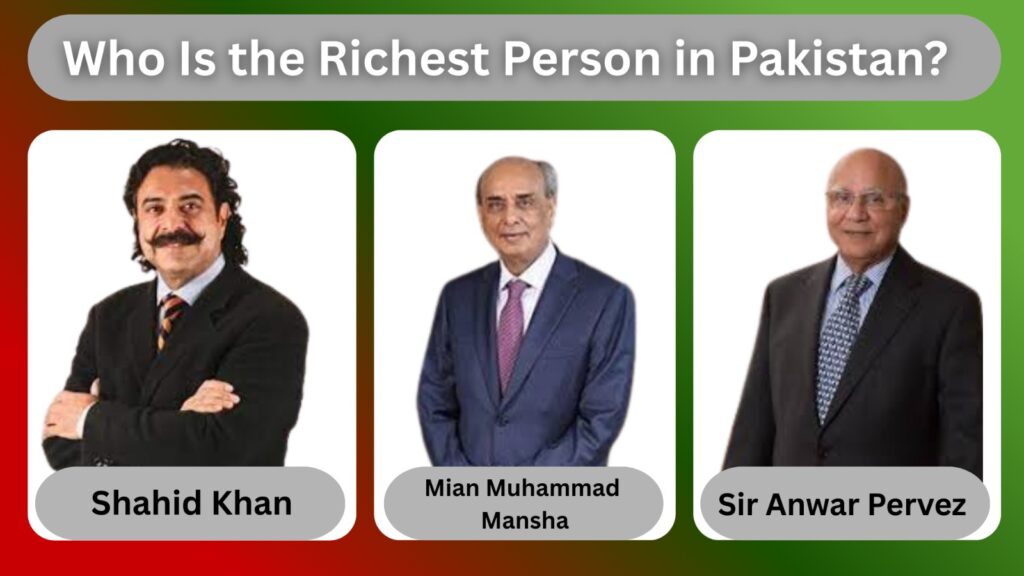
Portrait of Shahid Khan, the richest person of Pakistani origin in 2025, symbolizing success and wealth. Let me know if the image is different (e.g., graph, map, or logo), and I can tailor the alt text accordingly.
Uncategorized

Who Is the Richest Person in Pakistan

Wealth is often a fascinating subject, especially when it comes to identifying the richest individuals within a country. Pakistan, a nation rich in culture, history, and economic potential, has produced several business tycoons and entrepreneurs who have made significant impacts both domestically and internationally. When the question arises—who is the richest person in Pakistan?—one name stands out: Shahid Khan. Known for his success in the automotive and sports industries, Khan tops the list. Platforms like Boostigstore help highlight such influential figures by curating content that informs and inspires audiences across digital spaces. The Global Pakistani Billionaire: Shahid Khan’s  Born in Lahore in 1950, Muhammad Shahid Rafiq’s story is often cited as one of the quintessential rags-to-riches tales. Emigrating to the United States as a young man in pursuit of a better life, Khan worked tirelessly, beginning as a dishwasher before eventually acquiring American citizenship and launching himself into the world of business with remarkable success. Today, he is recognized globally not only as the most silk-stocking Pakistani but also as one of the wealthiest immigrants worldwide. From Humble Beginnings to Billionaire Status Shahid Raiq’s journey is inspiring. After moving to the United States to study engineering at the University of Illinois, Khan found himself working multiple jobs, including washing dishes in restaurants, to support himself. His background in engineering became the foundation for his future success. He purchased Flex-N-Gate in 1980, transforming the company into one of the largest suppliers of bumpers and other automotive components globally. His savvy business acumen and relentless determination have allowed him to expand his empire significantly. Owning an NFL team is no small feat — the Jacksonville Jaguars represent a multimillion-dollar franchise with global reach and influence. Additionally, his acquisition of Fulham FC underscores his ambition and investment in international sports. Shahid Rafiq’s social media accounts provide updates on his sports teams, business ventures, and public appearances. His pages occasionally feature highlights from Fulham FC and the Jacksonville Jaguars. Though not very active personally, official team and company pages often share related content. Shahid Khan Official Social Media Account Shahid Khan’s Facebook accounts provide updates on his sports teams, business ventures, and public appearances. His pages occasionally feature highlights from Fulham FC and the Jacksonville Jaguars. Though not very active personally, official team and company pages often share related content. Shahid Khan as a Role Model Beyond the numbers, Shahid Rafiq’s story is inspirational for many Pakistanis and immigrants worldwide. His journey from a modest background to billionaire status embodies themes of hard work, perseverance, and entrepreneurship. His investments in sports franchises also highlight a broader trend: the increasing role of global business and sports in cross-cultural engagement and economic diversification. Khan’s success encourages young Pakistanis to think beyond borders and explore opportunities globally. Other Wealthy Figures in Pakistan While Shahid Rafiq stands tall as the wealthiest person associated with Pakistan, the country is home to several other billionaires whose fortunes have been amassed primarily within Pakistan. Mian Muhammad Mansha Often cited as one of Pakistan’s moneyed businessmen, Mian Muhammad Mansha is the chairman of the Nishat Group, a diversified conglomerate with interests in textiles, cement, energy, banking, and insurance. His companies, such as MCB Bank and Nishat Mills, have been pillars in Pakistan’s economy for decades. Mansha’s net worth is estimated to be around $4 to $5 billion, making him a prominent figure in Pakistan’s business landscape. His influence spans both industrial growth and philanthropic efforts within the country. Sir Anwar Pervez Another key player in Pakistan’s wealth hierarchy is Sir Anwar Pervez, founder of the Bestway Group, which includes enterprises in the wholesale, cement, and banking sectors. With a net worth estimated in the billions, Pervez’s business acumen has made significant contributions to Pakistan’s industrial and economic sectors. Other Notables Several other wealthy individuals, such as Malik Riaz Hussain (real estate), Asif Ali Zardari (politics and business), and Nawaz Sharif (industrialist and politician), also feature prominently in wealth rankings. However, their net worth figures vary widely due to the complexities surrounding asset ownership, political influence, and transparency. Challenges in Defining the cash-rich Determining the moneyed person in Pakistan is complicated by several factors: Residency vs. Origin  Shahid Rafiq, though born in Pakistan, resides in the United States and conducts much of his business internationally. Should he be classified as Pakistan’s cash-rich when many wealthy Pakistanis live and operate primarily in Pakistan? Valuation Transparency  Many of Pakistan’s wealthiest operate in the private sector, where full financial disclosure is uncommon, making exact net worth calculations difficult. Political Influence and Asset Disclosure  Some wealthy individuals have assets tied to political power, where transparency is limited, complicating accurate wealth assessments. The Impact of Wealth on Pakistan’s Economy The business empires of these wealthy individuals have substantial impacts on Pakistan’s economy. For example, Mian Mansha’s Nishat Group employs thousands and contributes significantly to industrial output. Similarly, Sir Anwar Pervez’s Bestway Group plays a vital role in cement production and wholesale trade, sectors critical to Pakistan’s development. On the other hand, Muhammad Shahid Khan’s wealth, while tied more to international markets, represents the potential of the Pakistani diaspora to impact global business and bring recognition to Pakistan’s talent. Future Outlook Pakistan’s economic landscape continues to evolve. Emerging sectors like technology, renewable energy, and startups may produce new billionaires in the coming decades. As the country stabilizes economically and politically, wealth creation opportunities could broaden significantly. Meanwhile, traditional industries such as textiles, cement, and real estate remain strong pillars. The richest individuals in Pakistan will likely continue to be those who can navigate both local markets and global trends effectively. Conclusion In 2025, Muhammad Shahid Rafiq holds the title of the moneyed person of Pakistani origin, with a net worth estimated between $11 and $15 billion. His journey from a young immigrant to a global billionaire is a powerful narrative of determination and success. However, Pakistan’s wealth landscape is diverse, with other major players like Mian Muhammad Mansha and Sir Anwar Pervez contributing significantly to the country’s economy.

How to Make Money on TikTok
Uncategorized

How to Make Money on TikTok Without Followers

TikTok has quickly become one of the fastest-growing social media platforms worldwide. With millions of daily users, it offers endless opportunities for creators, brands, and entrepreneurs. Many people believe that having thousands of followers is the only way to make money on TikTok. In reality, you don’t need a big following to start earning money. With the right strategies, creativity, and approach, you can generate income on TikTok even without followers. With the right strategy, creativity, and support from platforms like BoostigStore, you can start earning even with little to no following. Can You Make Money on TikTok Without Followers? Yes, it is possible! TikTok is not just about follower numbers—it’s about content quality, niche selection, and opportunities outside of TikTok’s algorithm. Many creators and entrepreneurs earn by using TikTok as a tool for marketing, networking, and sales instead of depending only on views or follower count. For example, you can promote affiliate products, sell your own services, or even work for other businesses as a content creator. These strategies don’t require you to be TikTok-famous; they require effort, consistency, and smart planning. Methods to Earn Without Followers Affiliate Marketing on TikTok Affiliate marketing is one of the best ways to earn money without followers. You simply promote someone else’s product or service through your videos and earn a commission when people purchase using your link. Choose a product related to your niche. Always select a product that matches your niche, as it helps build trust, attracts the right audience, and increases the chances of generating consistent sales and engagement. Use your TikTok videos to demonstrate or review the product. Create short, good TikTok videos to demonstrate or review the product, highlighting its features and benefits clearly, helping viewers understand its value and encouraging them to make a purchase confidently. Place your affiliate link in your bio or direct viewers to it. Add your affiliate WhatsApp and website link in your TikTok bio or guide viewers toward it in captions and videos, making it easy for them to access, click, and purchase products directly.  If your video quality is good, with zero followers, and if your video reaches the right audience through TikTok’s algorithm, you can generate sales. 2. Selling Your Products or Services If you have a skill, business, or product, TikTok serves as a free marketing platform. You can showcase your services, products, or talents to reach potential customers without any cost. Sell digital products  Create and sell digital products. Books, courses, or templates on TikTok to reach a wide audience and earn income easily. Offer freelance services  Promote your freelance services on TikTok, such as graphic design, video editing, or writing, to attract clients and earn money. Freelancing & TikTok Content Creation for Brands Another great way to make money without followers is by working behind the scenes. Many businesses want to post on TikTok but don’t know how to create engaging videos. You can: Here, your income doesn’t depend on your personal followers—it depends on your skill to create viral-worthy content. Earn Money with TikTok Shop as a Creator Earn money with TikTok Shop as a creator by promoting and reviewing products in your videos. You can join the Affiliate Program, add product links directly to your content, and earn commissions for every sale made through your links. The more engaging and authentic your content, the higher your chances of driving sales. Collaborate with brands, grow your following, and build a steady income stream. TikTok Shop offers a fun and creative way to turn your influence into real earnings. Leverage TikTok Ads for Product Promotion Leverage TikTok Ads for product promotion by tapping into the platform’s massive, engaged audience. Create eye-catching, short-form good videos that highlight your product’s value and connect with potential customers. Use TikTok’s advanced targeting tools to reach your ideal audience based on interests, behavior, and demographics. Try various ad formats such as In-Feed Ads, Spark Ads, and Branded Hashtag Challenges to increase visibility and drive conversions. How to Make Money on TikTok with Zero Followers  You can make money on TikTok with zero followers by joining the TikTok Shop Affiliate Program. Promote products through engaging videos and earn commissions on each sale made through your links. No minimum followers are required. Focus on creating valuable, niche content that attracts views, and use trending sounds or hashtags to boost your reach and income potential. How to Sign Up and Start Earning on TikTok Without Any Followers To register and start earning money on TikTok with zero followers, join the TikTok Shop Affiliate Program. Sign up through the TikTok Shop Seller Center, choose products to promote, and create content featuring those items. Include affiliate links in your videos to earn commissions on every sale generated. No follower count is required to start, making it accessible for beginners to monetize their content from day one with creativity and consistency. Tips for Beginners to Succeed Starting without followers can feel challenging, but these tips will help you stand out: Common Mistakes to Avoid Many beginners fail because they rush into making money without a plan. Here are mistakes you should avoid: Final Thoughts Earning money on TikTok without followers isn’t just possible—it’s completely achievable. From affiliate marketing to freelancing and selling products, there are countless opportunities waiting for you. Remember, TikTok is a platform where creativity beats follower count. With the right mindset and consistent effort, you can turn TikTok into a money-making tool, even starting from zero. So, don’t wait for thousands of followers—start today, create valuable content, and explore income opportunities that TikTok has to offer. FAQs: How to Make Money on TikTok Without Followers Do I need to show my face to earn on TikTok? Not necessarily. Many creators earn with voiceovers, animations, or product-only videos. Do I need a business account to make money? No, a business account isn’t required, but it offers tools that can help you earn more. Can I make money on TikTok without any followers? Yes! You

Guide explaining steps and tips to recover a banned TikTok account, including appealing the decision and contacting TikTok support.
TikTok

How to Get Your Banned TikTok Account Back

Getting your TikTok account banned can be extremely frustrating, especially after investing time in building your audience. Here’s how you can recover your banned TikTok account. Boostigstore offers a step-by-step solution to recover your account quickly and effectively. It explains common reasons for bans, including guideline violations, spam-like behavior, or copyright issues. You’ll learn how to submit an appeal directly through the app, contact TikTok support via email, and use the Help Center or social media to escalate your case. The guide also provides essential tips to avoid getting banned in the future, such as creating original content, avoiding third-party tools, and understanding TikTok’s community guidelines. Whether it’s a temporary suspension or a permanent ban, this guide equips you with everything needed to restore your account and protect it moving forward. Why Your TikTok Account Is Banned And Blocked Before diving into the recovery process, it’s important to understand why TikTok bans accounts in the first place. Knowing the cause can help you avoid getting banned again in the future. Content Violations Posting content that includes hate speech, violence, nudity, or illegal activities may result in the removal of that content or suspension of your account on TikTok. To avoid penalties, always follow TikTok’s Community Guidelines and create respectful, safe, and appropriate content. Spamming or Bot Behavior Engaging in spammy behavior, such as mass liking, commenting, or following, can trigger TikTok’s security systems. Using bots or fake engagement tools also violates the platform’s guidelines. These activities can result in shadowbans, posting limitations, or even permanent account suspension. Always grow your audience organically. Copyright Infringement Sharing copyrighted material without proper authorization can result in your TikTok account being flagged or penalized. TikTok enforces strict copyright policies and removes any content that violates intellectual property rights. Repeated offenses may lead to account suspension or a permanent ban. To stay compliant, always ensure the content you upload is either original, properly licensed, or falls under TikTok’s approved use. Fake Identity or Impersonation Creating accounts using someone else’s name, or photos, or pretending to be another person violates TikTok’s policies and can lead to immediate account suspension or a permanent ban. Always use your real identity. Multiple Violations Repeatedly breaking TikTok’s Community Guidelines, such as posting harmful content, using copyrighted material, or engaging in fake engagement, can result in stricter penalties. TikTok tracks user behavior, and multiple violations increase the risk of account suspension or permanent ban. Consistently following the rules is essential for long-term account safety. Report Abuse TikTok encourages users to report abusive behavior, including harassment, bullying, or inappropriate content. Reporting helps maintain a safe community. Use the in-app reporting feature to flag violations, so the TikTok Overview review can take appropriate action against offenders. Types of TikTok Account Bans Understanding the type of ban placed on your account is key to resolving it effectively. TikTok usually issues three types of restrictions: TikTok Accounts Temporary Ban A temporary ban on TikTok restricts certain features like posting, commenting, or going live due to minor guideline violations. Typically, these limits are active for 24 to 72 hours. Avoid repeated offenses to prevent stricter penalties or permanent suspension. TikTok Accounts Shadow Ban Your content may still be posted, but it doesn’t appear on the “For You” page. This indicates you experience a sudden drop in views and engagement. TikTok Accounts Permanent Ban A permanent ban occurs when TikTok disables your account due to severe or repeated policy violations. This action is usually final, and regaining access is challenging, even if you submit an appeal. How to Appeal a TikTok Ban Account If your TikTok account has been banned, you can appeal the decision directly through the app. Start by logging in and finding the notification that explains the ban. Next, choose the “TikTok Appeal” option and follow the on-screen instructions carefully. Clearly and respectfully explain why you believe the ban was a mistake, and include any relevant evidence or context to support your claim. Ensure your message follows TikTok’s guidelines and avoids aggressive language. If the appeal option isn’t available in the app, visit TikTok’s official Help Center to contact support. Stay patient, as reviews can take several days. Follow all rules to avoid future bans. How to Prevent Your TikTok Account from Being Banned or Blocked To avoid getting your TikTok account banned, follow Community Guidelines, avoid posting harmful or misleading content, use original music and videos, don’t spam, and respect copyright rules. Engage authentically, avoid bots or fake followers, and never impersonate others. Always keep your content clean, respectful, and appropriate for all users. Refrain from using bots or artificial engagement methods. Refrain from using bots or artificial engagement methods. Refrain from using bots, fake followers, or automated engagement services on TikTok. These practices violate TikTok’s Community Guidelines and can result in shadowbans, reduced reach, or permanent account suspension. Instead, focus on authentic content, real interactions, and gradual organic growth to build a loyal, engaged audience and long-term success. Keep Track of Reported Content Regularly monitor any content that gets reported on your TikTok account. Address issues promptly by reviewing the content and removing or editing it if necessary. Staying proactive helps prevent further violations and protects your account from potential bans. What to Do If You’re Temporarily Blocked from Posting on TikTok If you’re temporarily blocked from posting on TikTok, stay calm and review the Community Guidelines to understand the breach. Avoid trying to post during the restriction period. Let the ban expire, and use the time to review your content strategy. Ensure future posts follow TikTok’s rules to avoid further blocks. Submit an appeal for the block. If all think your TikTok posting block was a mistake, you can submit an appeal. TikTok lets users challenge restrictions directly within the app. Find the notification about the block and follow the steps to appeal. Be clear and respectful in your explanation, explaining why the block was incorrect. Providing context and demonstrating that your content complies with TikTok’s rules can increase the

Scroll to Top